- Products
- Air Compressors & Air Tools
- Climate Control
- Compaction Equipment
- Concrete Cutting Tools & Equipment
- Concrete and Masonry
- Demolition & Excavation
- Electrical & Mechanical
- Fasteners and Anchoring Adhesives
- Floor Protection
- Generators and Welders
- Hand Tools
- Heaters
- Janitorial and Office Supplies
- Jobsite Protection
- Ladders & Storage
- Lighting & Lighting Accessories
- Man Lifts
- Material Handling Equipment
- Power Tools
- Pressure Washers & Pumps
- Safety Gear
- Safety Products
- Saws
- Surface Preparation
- SEASONAL PRODUCTS
- Rentals
- Air Compressor and Air Tool Rentals
- Climate Control Rental
- Compaction Rentals
- Concrete Equipment Rentals
- Demolition & Excavation Equipment Rentals
- Concrete Floor Grinder Rentals
- General Construction Equipment Rentals
- Generator Rentals and Welder Rentals
- Heater Rentals
- Light Tower Rentals
- Man Lift Rentals in Massachusetts and Rhode Island
- Material Handling Equipment Rentals
- Pressure Washer & Pump Rentals
- Saw Rentals in New England
- SEASONAL PRODUCTS
- Products
- Air Compressors & Air Tools
- Climate Control
- Compaction Equipment
- Concrete Cutting Tools & Equipment
- Demolition & Excavation
- Electrical & Mechanical
- Floor Protection
- Generators and Welders
- Construction Heaters
- Construction Ladders, Staging, & Storage
- Construction Lighting
- Man Lifts
- Material Handling Equipment
- Industrial Janitorial and Office Supplies
- Pressure Washers & Pumps
- Construction Safety Products
- Construction Safety Gear
- Surface Preparation
- Building Protection
- Diesel Accessories
- Zero Emissions
- Rentals
- Air Compressor and Air Tool Rentals
- Climate Control Rental
- Compaction Rentals
- Concrete Equipment Rental
- Demolition & Excavation Equipment Rental
- General Construction Equipment Rental
- Generator Rentals and Welder Rentals
- Construction Heaters Rental
- Light Tower Rentals
- Man Lift Rentals
- Material Handling Equipment Rental
- Pressure Washer & Pump Rentals
- Saw Rentals in New England
- Concrete Floor Grinder Rentals
- Zero Emissions Rentals
- Repairs & Used
- Parts
- Blog
- Services
- Resources
- About Us
- Contact Us
Sales & Rental of Construction | Industrial Equipment & Supplies


Why Choose USB Charging Cables for Your Business?
A USB Charging Cable may look like a small purchase, but it can shape daily customer experience. The right cable keeps phones, scanners, and other devices ready during busy shifts. It can also reduce the frustration of loose connectors, slow charging, and tangled stockrooms. Small details matter.
For a business, choosing cables means looking beyond the printed price. Check connector compatibility, supported charging power, cable length, jacket strength, and supplier consistency. A two-meter cable might suit a reception desk, while a shorter, reinforced model may work better beside a point-of-sale terminal. Test samples with the devices your team actually uses. Real conditions reveal weak spots quickly.
A verified expert quotation was not supplied, so this draft does not attribute invented words to a real person. For an editorial placeholder, fictional composite specialist Alex Morgan offers this guiding line: “A dependable charging cable is judged by the work it quietly keeps moving.” Treat that as illustrative, not a sourced quotation. There is a trade-off: sturdier cables can cost more, and no cable lasts forever. Compare replacement rates, warranty terms, and user feedback before ordering in bulk. A careful choice can make charging more predictable, though it will not solve every device or power issue. Start with a small trial. Then review performance, wear, and staff comments before expanding the order.
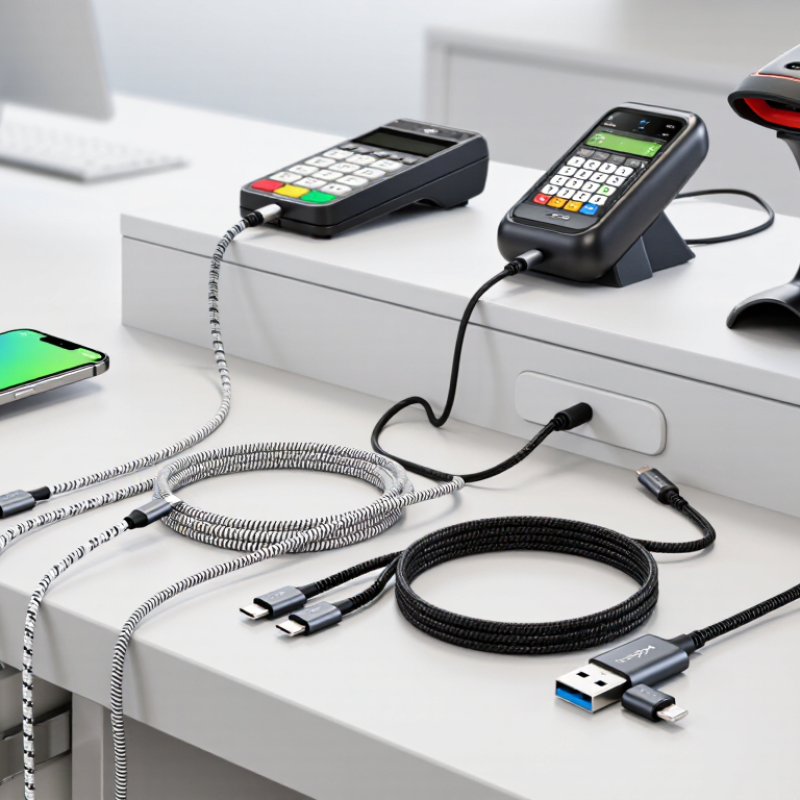
Table of Contents [Hide]
USB Charging Cables and Their Role in Business Operations
USB charging cables are modest tools, but they affect daily business operations. Staff use them to power phones, tablets, scanners, and other workplace devices. A missing or damaged cable can leave equipment unavailable during a busy shift. That small delay matters at a reception desk or stockroom counter. Reliable cables help keep devices ready for communication, check-ins, and routine tasks. They also make shared charging areas easier to manage.
Cable choice should match the devices and workspace. Check connector types, charging requirements, and cable length before ordering. A cable that is too short strains across a desk; one that is too long can tangle near walkways. Durability matters where cables are plugged in and moved often. Still, no cable lasts forever. Wear can be easy to miss, especially when several look alike.
Tips: Label shared cables by device or station, and keep spare cables in a known location. Inspect connectors and outer sleeves during regular equipment checks. Replace cables that feel loose or show visible damage. Small habits help. They are not foolproof, and staff may still misplace a cable, but a simple inventory can reveal recurring gaps.

© Copyright - Pro Tool & Supply - Site by SVM E-Marketing Solutions - Sitemap
- Privacy policy