- Products
- Air Compressors & Air Tools
- Climate Control
- Compaction Equipment
- Concrete Cutting Tools & Equipment
- Concrete and Masonry
- Demolition & Excavation
- Electrical & Mechanical
- Fasteners and Anchoring Adhesives
- Floor Protection
- Generators and Welders
- Hand Tools
- Heaters
- Janitorial and Office Supplies
- Jobsite Protection
- Ladders & Storage
- Lighting & Lighting Accessories
- Man Lifts
- Material Handling Equipment
- Power Tools
- Pressure Washers & Pumps
- Safety Gear
- Safety Products
- Saws
- Surface Preparation
- SEASONAL PRODUCTS
- Rentals
- Air Compressor and Air Tool Rentals
- Climate Control Rental
- Compaction Rentals
- Concrete Equipment Rentals
- Demolition & Excavation Equipment Rentals
- Concrete Floor Grinder Rentals
- General Construction Equipment Rentals
- Generator Rentals and Welder Rentals
- Heater Rentals
- Light Tower Rentals
- Man Lift Rentals in Massachusetts and Rhode Island
- Material Handling Equipment Rentals
- Pressure Washer & Pump Rentals
- Saw Rentals in New England
- SEASONAL PRODUCTS
- Products
- Air Compressors & Air Tools
- Climate Control
- Compaction Equipment
- Concrete Cutting Tools & Equipment
- Demolition & Excavation
- Electrical & Mechanical
- Floor Protection
- Generators and Welders
- Construction Heaters
- Construction Ladders, Staging, & Storage
- Construction Lighting
- Man Lifts
- Material Handling Equipment
- Industrial Janitorial and Office Supplies
- Pressure Washers & Pumps
- Construction Safety Products
- Construction Safety Gear
- Surface Preparation
- Building Protection
- Diesel Accessories
- Zero Emissions
- Rentals
- Air Compressor and Air Tool Rentals
- Climate Control Rental
- Compaction Rentals
- Concrete Equipment Rental
- Demolition & Excavation Equipment Rental
- General Construction Equipment Rental
- Generator Rentals and Welder Rentals
- Construction Heaters Rental
- Light Tower Rentals
- Man Lift Rentals
- Material Handling Equipment Rental
- Pressure Washer & Pump Rentals
- Saw Rentals in New England
- Concrete Floor Grinder Rentals
- Zero Emissions Rentals
- Repairs & Used
- Parts
- Blog
- Services
- Resources
- About Us
- Contact Us
Sales & Rental of Construction | Industrial Equipment & Supplies


Why Choose an Industrial Panel PC for Your Business?
Why Choose an Industrial Panel Pc for Your Business?
Choosing an Industrial Panel Pc is not simply a screen upgrade. It is a decision about uptime, operator safety, and long-term maintenance. In a packaging line, workers may use the display with gloved hands while dust, vibration, and temperature changes surround the machine. A commercial computer can struggle in that environment. An Industrial Panel Pc is designed for continuous operation, sealed front panels, wide temperature ranges, and industrial communication networks.
Industry experience supports this approach. Advantech founder K. C. Liu once stated, “The value of industrial computing is measured by its reliability in real-world applications.” That principle matters on a factory floor. A bright display is useful, but stable performance matters more. Touch accuracy, fanless cooling, stainless-steel housing, and easy panel mounting can reduce interruptions. They also help technicians inspect alarms without opening a separate cabinet.
Still, an Industrial Panel Pc is not a universal answer. Some facilities need stronger cybersecurity, remote management, or a larger control architecture. Others may select a model with excessive processing power and waste budget. That mistake is common. The right choice depends on workload, IP rating, screen size, operating system, and available support. Ask practical questions. Can operators read the screen under harsh lighting? Can the unit survive washdown procedures? Can replacement parts arrive quickly?
The best investment is not always the most expensive model. It is the one that remains dependable when production pressure rises. Careful evaluation creates measurable value, although no device removes every operational risk.
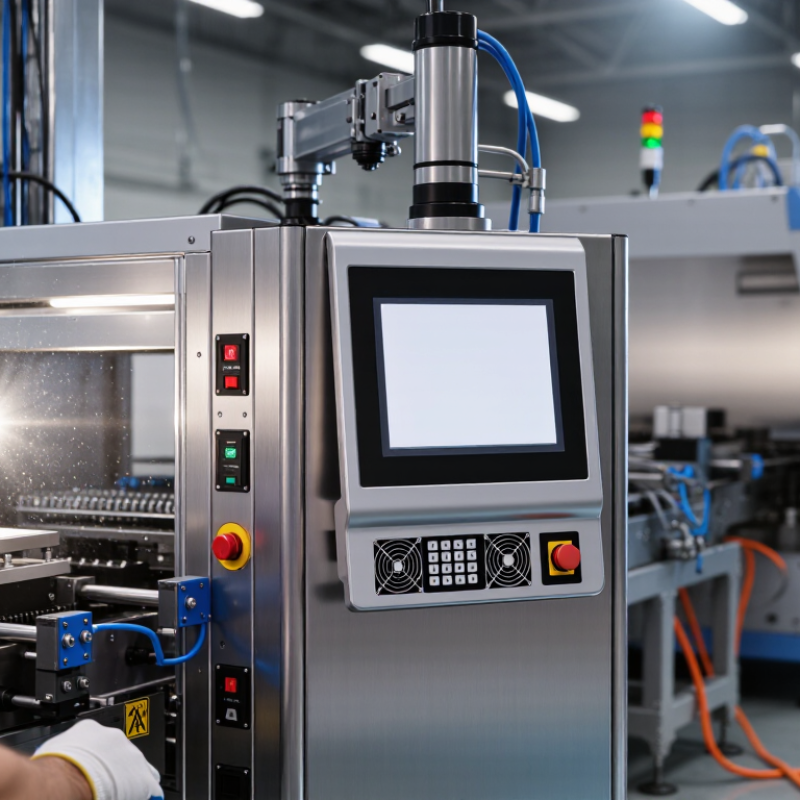
Table of Contents [Hide]
What an Industrial Panel PC Is and How It Differs from Standard Computers
Why Choose an Industrial Panel PC for Your Business?
An industrial panel PC combines a computer, display, and touchscreen in one sealed enclosure. It is designed for factory floors, control rooms, warehouses, and outdoor equipment. Unlike a standard office computer, it can support continuous operation, vibration, dust, humidity, and wider temperature changes. Many models use fanless cooling, solid-state storage, and front panels rated to IP65 under IEC 60529. However, protection levels vary by design and installation.
The difference becomes clearer in daily work. A standard computer often depends on fans, loose cables, and office peripherals. An industrial panel PC mounts directly into a cabinet or machine interface. Its screen remains visible beside motors, conveyors, and bright production lights.
It may also provide serial, Ethernet, USB, and industrial communication ports. IoT Analytics reported 16.6 billion connected IoT devices worldwide in 2023. That growth increases the need for reliable local visualization and data handling.
The business case is not automatic. A panel PC can be excessive for simple administrative tasks. For production environments, the calculation changes. Deloitte’s 2023 Smart Manufacturing and Operations Survey found that 86% of manufacturing leaders viewed smart manufacturing as a major competitiveness driver. A suitable panel PC can reduce separate components and simplify maintenance. Still, sunlight, chemical exposure, temperature, and software compatibility require careful testing. One missed detail can turn a rugged computer into an expensive mistake.

© Copyright - Pro Tool & Supply - Site by SVM E-Marketing Solutions - Sitemap
- Privacy policy