- Products
- Air Compressors & Air Tools
- Climate Control
- Compaction Equipment
- Concrete Cutting Tools & Equipment
- Concrete and Masonry
- Demolition & Excavation
- Electrical & Mechanical
- Fasteners and Anchoring Adhesives
- Floor Protection
- Generators and Welders
- Hand Tools
- Heaters
- Janitorial and Office Supplies
- Jobsite Protection
- Ladders & Storage
- Lighting & Lighting Accessories
- Man Lifts
- Material Handling Equipment
- Power Tools
- Pressure Washers & Pumps
- Safety Gear
- Safety Products
- Saws
- Surface Preparation
- SEASONAL PRODUCTS
- Rentals
- Air Compressor and Air Tool Rentals
- Climate Control Rental
- Compaction Rentals
- Concrete Equipment Rentals
- Demolition & Excavation Equipment Rentals
- Concrete Floor Grinder Rentals
- General Construction Equipment Rentals
- Generator Rentals and Welder Rentals
- Heater Rentals
- Light Tower Rentals
- Man Lift Rentals in Massachusetts and Rhode Island
- Material Handling Equipment Rentals
- Pressure Washer & Pump Rentals
- Saw Rentals in New England
- SEASONAL PRODUCTS
- Products
- Air Compressors & Air Tools
- Climate Control
- Compaction Equipment
- Concrete Cutting Tools & Equipment
- Demolition & Excavation
- Electrical & Mechanical
- Floor Protection
- Generators and Welders
- Construction Heaters
- Construction Ladders, Staging, & Storage
- Construction Lighting
- Man Lifts
- Material Handling Equipment
- Industrial Janitorial and Office Supplies
- Pressure Washers & Pumps
- Construction Safety Products
- Construction Safety Gear
- Surface Preparation
- Building Protection
- Diesel Accessories
- Zero Emissions
- Rentals
- Air Compressor and Air Tool Rentals
- Climate Control Rental
- Compaction Rentals
- Concrete Equipment Rental
- Demolition & Excavation Equipment Rental
- General Construction Equipment Rental
- Generator Rentals and Welder Rentals
- Construction Heaters Rental
- Light Tower Rentals
- Man Lift Rentals
- Material Handling Equipment Rental
- Pressure Washer & Pump Rentals
- Saw Rentals in New England
- Concrete Floor Grinder Rentals
- Zero Emissions Rentals
- Repairs & Used
- Parts
- Blog
- Services
- Resources
- About Us
- Contact Us
Sales & Rental of Construction | Industrial Equipment & Supplies


Top Longer Laser Cutter Models for Every Budget
A Longer Laser Cutter can make detailed projects easier, but choosing one involves more than comparing price tags. Work area, laser power, software, and material compatibility all affect what a machine can handle. A compact model may suit small signs, labels, and craft pieces. A larger bed can reduce repositioning when you cut wider panels. That convenience matters.
This guide compares Longer Laser Cutter models across different budgets and project needs. It looks at practical details, including usable cutting space, setup requirements, included accessories, and the kinds of materials each model is designed to process. Specifications can vary by configuration, so check the manufacturer’s current product information before buying. Also consider ventilation, eye protection, and a stable workspace; these are part of responsible operation, not optional extras.
The lowest price is not always the best value. A machine that exceeds your needs may take up space and add cost, while a very basic option may limit future projects. That assumption can be wrong, though: a beginner might value simplicity more than extra features. Compare the models with your own workspace, typical materials, and spending limit in mind. A little hesitation here is useful. It can prevent an expensive mismatch later.
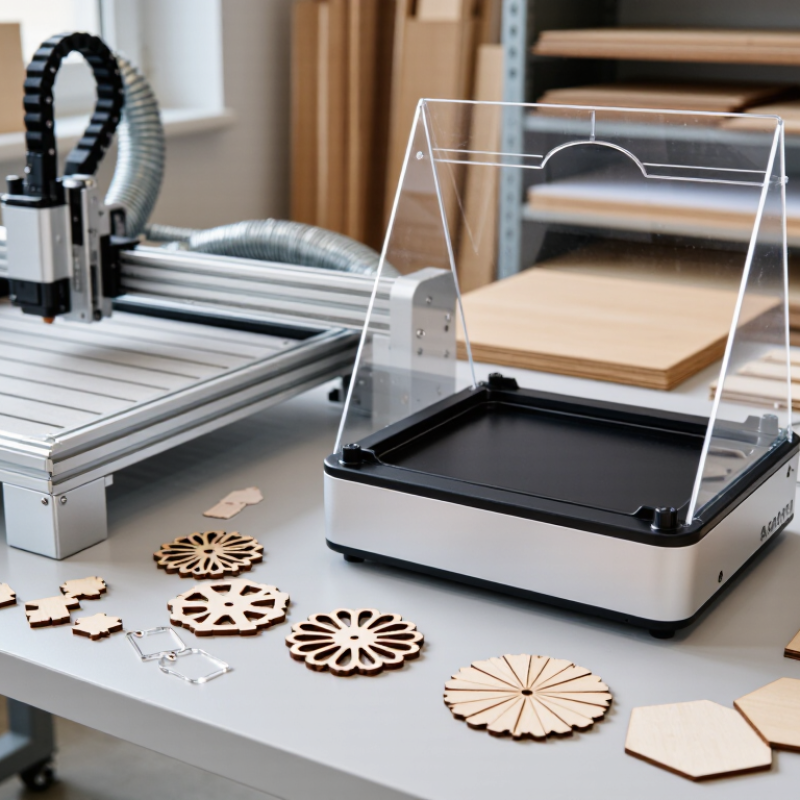
Table of Contents [Hide]
Understanding Longer Laser Cutter Models and Their Core Features
Laser cutter models differ by laser source, output power, working area, and enclosure. Diode machines can handle many engraving jobs and some thin, opaque materials. CO2 systems are commonly chosen for wood and acrylic, while fiber systems target metal marking and cutting. These categories are not interchangeable. A larger bed may fit a full sheet, but it also needs more bench space and ventilation.
Grand View Research’s 2023 laser-cutting-machine market report estimated the global market at about US$5.3 billion and projected roughly 7.5% annual growth through 2030. That growth reflects wider industrial use, but it does not tell you which machine fits a small workshop. Compare usable bed dimensions, material compatibility, focusing method, air assist, and extraction requirements. Output power matters, yet real cutting results also depend on material thickness and speed. Specs can look clear on paper; setup time is easier to underestimate.
Tips: Check the manufacturer’s material guidance before buying, and measure the widest piece you expect to process. Leave room for exhaust routing. A cheap model can still be the wrong fit.
Top Longer Laser Cutter Models for Every Budget - Understanding Longer Laser Cutter Models and Their Core Features
| Machine Type | Typical Budget (USD) | Laser Source and Output | Typical Work Area | Suitable Materials | Key Features | Best For |
|---|---|---|---|---|---|---|
| Compact Diode Engraver | $150–$400 | Blue diode; approximately 5–10 W optical output | About 400 × 400 mm | Wood, paper, leather, and opaque coated materials; not suitable for clear acrylic cutting | Small footprint, relatively low purchase cost, and simple setup; an enclosure and air assist may be optional | Beginners, hobby projects, and light engraving |
| Enclosed Diode Cutter | $400–$1,000 | Blue diode; approximately 10–20 W optical output | About 400 × 400 mm | Wood, paper, leather, and opaque coated materials; clear acrylic is generally unsuitable for diode cutting | Protective enclosure, interlock, exhaust connection, and often air assist; check included safety features before purchase | Home workshops needing added protection and more consistent cutting |
| Desktop CO₂ Laser Cutter | $2,000–$5,000 | CO₂; approximately 40–60 W | About 500 × 300 mm | Wood, acrylic (including clear acrylic), paper, leather, and some fabrics; not bare metal | Enclosed cutting area, exhaust ventilation, and commonly air assist; requires more installation and maintenance than a diode machine | Small businesses and makers working with varied non-metal materials |
| Mid-Size CO₂ Laser Cutter | $5,000–$10,000 | CO₂; approximately 60–100 W | About 700 × 500 mm | Wood, acrylic, paper, leather, and some fabrics; not bare metal | Larger bed, faster production potential, and usually stronger cooling and exhaust requirements | Sign making, product fabrication, and regular batch work |
| Large-Format CO₂ Laser Cutter | $10,000–$25,000+ | CO₂; approximately 100–150 W or more | About 900 × 600 mm or larger | Wood, acrylic, paper, leather, and some fabrics; not bare metal | Large work area and higher throughput potential; needs adequate space, electrical capacity, cooling, and exhaust ventilation | Production workshops handling larger pieces or frequent jobs |
Note: Prices, bed sizes, and laser outputs are broad, indicative ranges for common machine classes, not specifications for a particular model. Cutting results depend on material type, thickness, focus, speed, and machine condition. Use suitable ventilation and follow the machine's safety instructions; never cut PVC or other chlorine-containing materials.

© Copyright - Pro Tool & Supply - Site by SVM E-Marketing Solutions - Sitemap
- Privacy policy