- Products
- Air Compressors & Air Tools
- Climate Control
- Compaction Equipment
- Concrete Cutting Tools & Equipment
- Concrete and Masonry
- Demolition & Excavation
- Electrical & Mechanical
- Fasteners and Anchoring Adhesives
- Floor Protection
- Generators and Welders
- Hand Tools
- Heaters
- Janitorial and Office Supplies
- Jobsite Protection
- Ladders & Storage
- Lighting & Lighting Accessories
- Man Lifts
- Material Handling Equipment
- Power Tools
- Pressure Washers & Pumps
- Safety Gear
- Safety Products
- Saws
- Surface Preparation
- SEASONAL PRODUCTS
- Rentals
- Air Compressor and Air Tool Rentals
- Climate Control Rental
- Compaction Rentals
- Concrete Equipment Rentals
- Demolition & Excavation Equipment Rentals
- Concrete Floor Grinder Rentals
- General Construction Equipment Rentals
- Generator Rentals and Welder Rentals
- Heater Rentals
- Light Tower Rentals
- Man Lift Rentals in Massachusetts and Rhode Island
- Material Handling Equipment Rentals
- Pressure Washer & Pump Rentals
- Saw Rentals in New England
- SEASONAL PRODUCTS
- Products
- Air Compressors & Air Tools
- Climate Control
- Compaction Equipment
- Concrete Cutting Tools & Equipment
- Demolition & Excavation
- Electrical & Mechanical
- Floor Protection
- Generators and Welders
- Construction Heaters
- Construction Ladders, Staging, & Storage
- Construction Lighting
- Man Lifts
- Material Handling Equipment
- Industrial Janitorial and Office Supplies
- Pressure Washers & Pumps
- Construction Safety Products
- Construction Safety Gear
- Surface Preparation
- Building Protection
- Diesel Accessories
- Zero Emissions
- Rentals
- Air Compressor and Air Tool Rentals
- Climate Control Rental
- Compaction Rentals
- Concrete Equipment Rental
- Demolition & Excavation Equipment Rental
- General Construction Equipment Rental
- Generator Rentals and Welder Rentals
- Construction Heaters Rental
- Light Tower Rentals
- Man Lift Rentals
- Material Handling Equipment Rental
- Pressure Washer & Pump Rentals
- Saw Rentals in New England
- Concrete Floor Grinder Rentals
- Zero Emissions Rentals
- Repairs & Used
- Parts
- Blog
- Services
- Resources
- About Us
- Contact Us
Sales & Rental of Construction | Industrial Equipment & Supplies


What Is a Smart LED Light and How Does It Work?
A Smart LED Light is more than a bulb with a brighter marketing label. It combines an energy-efficient light-emitting diode with a small control system. That system may include Wi-Fi, Bluetooth, Zigbee, or another wireless standard. Through an app, voice assistant, remote, or wall switch, users can adjust brightness, color temperature, and sometimes millions of colors. Some models also respond to motion, schedules, or changing daylight.
The basic process is practical and surprisingly compact. Electrical current reaches the LED components, while an internal driver regulates power and protects the circuit. A microcontroller receives commands from the app or connected hub. It then changes the current flowing through different LED channels. Warm white and cool white channels create adjustable color temperatures. Red, green, and blue channels produce colored light. A little technology, doing visible work.
However, “smart” does not always mean better. A budget model may require a cloud account, lose features without internet, or respond slowly in a crowded wireless network. Privacy settings, app permissions, standby energy use, and software support deserve careful attention. In my practical assessment, a reliable Smart LED Light should provide stable connections, accurate brightness control, clear safety information, and long-term compatibility. Energy savings also depend on daily use, not the product label alone. This guide explains how these lights work, what components they contain, and which performance claims deserve closer examination. Some details remain easy to overlook. That is precisely why careful comparison matters.
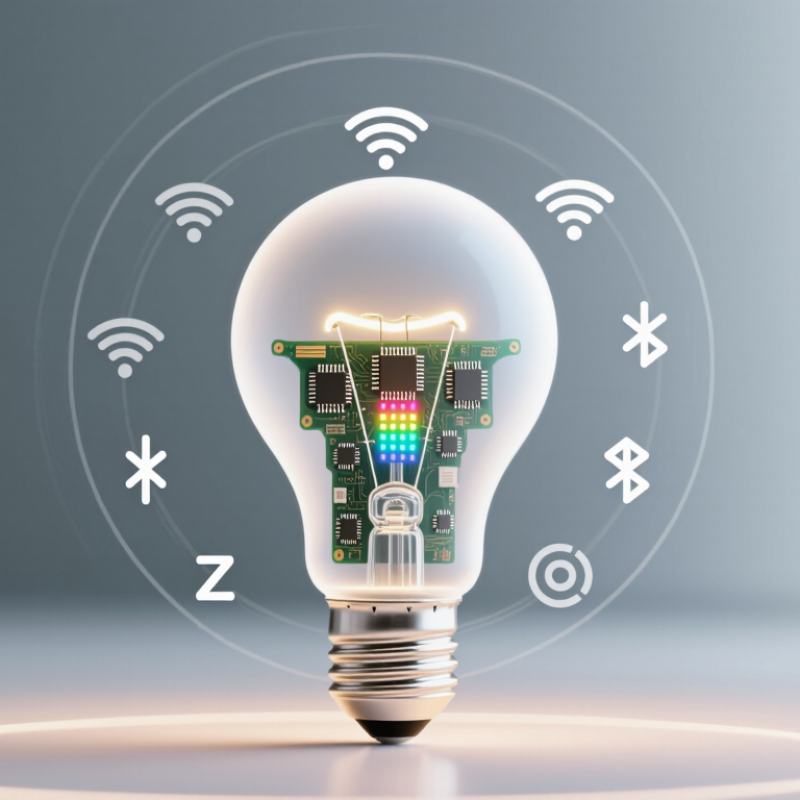
Table of Contents [Hide]
What Is a Smart LED Light?
A smart LED light is an energy-efficient lamp with digital controls. It can connect through Wi-Fi, Bluetooth, or a compatible home hub. This connection lets you adjust brightness, color temperature, and sometimes color from an app or voice command. Unlike a standard LED bulb, it can follow schedules, respond to sensors, or imitate sunrise gradually. The LED still produces light through a semiconductor, while a small control circuit manages wireless instructions.
In practical use, setup usually involves pairing the light, assigning a room, and testing commands. A scheduled hallway light can turn on before you arrive home. A dim warm setting may feel more comfortable before sleep. Some lights continue basic operation when the internet fails, but advanced features may stop. This detail is easy to overlook. Smart controls also consume a small amount of standby power, even when the light appears off. Check the product’s technical information rather than trusting vague efficiency claims.
Tips: Choose a model with clear privacy settings and reliable manual controls. Place the light where the wireless signal remains stable. Test schedules for several days, because time zones and daylight changes can cause unexpected behavior. Avoid installing connected lights in damp areas unless their safety rating allows it. A simple setup is often more dependable than using every available feature.

© Copyright - Pro Tool & Supply - Site by SVM E-Marketing Solutions - Sitemap
- Privacy policy