- Products
- Air Compressors & Air Tools
- Climate Control
- Compaction Equipment
- Concrete Cutting Tools & Equipment
- Concrete and Masonry
- Demolition & Excavation
- Electrical & Mechanical
- Fasteners and Anchoring Adhesives
- Floor Protection
- Generators and Welders
- Hand Tools
- Heaters
- Janitorial and Office Supplies
- Jobsite Protection
- Ladders & Storage
- Lighting & Lighting Accessories
- Man Lifts
- Material Handling Equipment
- Power Tools
- Pressure Washers & Pumps
- Safety Gear
- Safety Products
- Saws
- Surface Preparation
- SEASONAL PRODUCTS
- Rentals
- Air Compressor and Air Tool Rentals
- Climate Control Rental
- Compaction Rentals
- Concrete Equipment Rentals
- Demolition & Excavation Equipment Rentals
- Concrete Floor Grinder Rentals
- General Construction Equipment Rentals
- Generator Rentals and Welder Rentals
- Heater Rentals
- Light Tower Rentals
- Man Lift Rentals in Massachusetts and Rhode Island
- Material Handling Equipment Rentals
- Pressure Washer & Pump Rentals
- Saw Rentals in New England
- SEASONAL PRODUCTS
- Products
- Air Compressors & Air Tools
- Climate Control
- Compaction Equipment
- Concrete Cutting Tools & Equipment
- Demolition & Excavation
- Electrical & Mechanical
- Floor Protection
- Generators and Welders
- Construction Heaters
- Construction Ladders, Staging, & Storage
- Construction Lighting
- Man Lifts
- Material Handling Equipment
- Industrial Janitorial and Office Supplies
- Pressure Washers & Pumps
- Construction Safety Products
- Construction Safety Gear
- Surface Preparation
- Building Protection
- Diesel Accessories
- Zero Emissions
- Rentals
- Air Compressor and Air Tool Rentals
- Climate Control Rental
- Compaction Rentals
- Concrete Equipment Rental
- Demolition & Excavation Equipment Rental
- General Construction Equipment Rental
- Generator Rentals and Welder Rentals
- Construction Heaters Rental
- Light Tower Rentals
- Man Lift Rentals
- Material Handling Equipment Rental
- Pressure Washer & Pump Rentals
- Saw Rentals in New England
- Concrete Floor Grinder Rentals
- Zero Emissions Rentals
- Repairs & Used
- Parts
- Blog
- Services
- Resources
- About Us
- Contact Us
Sales & Rental of Construction | Industrial Equipment & Supplies

How to Choose the Best Managed Network Switch?
Choosing a Managed Network Switch is not just a matter of counting ports. The right model must fit your network today and leave room for growth. A small office may need reliable VLAN separation, while a busy warehouse may depend on PoE for access points and cameras. The details matter. You should also consider port speed, uplink options, management tools, security features, and support life. A low purchase price can hide added costs, such as licensing or difficult maintenance.
Networking scholar Andrew S. Tanenbaum once observed, “The nice thing about standards is that you have so many to choose from.” His remark highlights a real challenge: features and terminology can vary across vendors. This guide explains how to compare switch capacity, Layer 2 and Layer 3 functions, PoE budgets, redundancy, and management interfaces. It also considers compatibility with existing equipment and the practical needs of the people who will maintain the network. A specification sheet rarely reveals every operational headache. I have seen buyers focus on maximum throughput, then overlook noisy fans, awkward configuration, or limited support. Those oversights are easy to make. By weighing performance against usability, security, reliability, and total cost, you can choose a Managed Network Switch that suits your environment—not merely the most impressive product on paper.
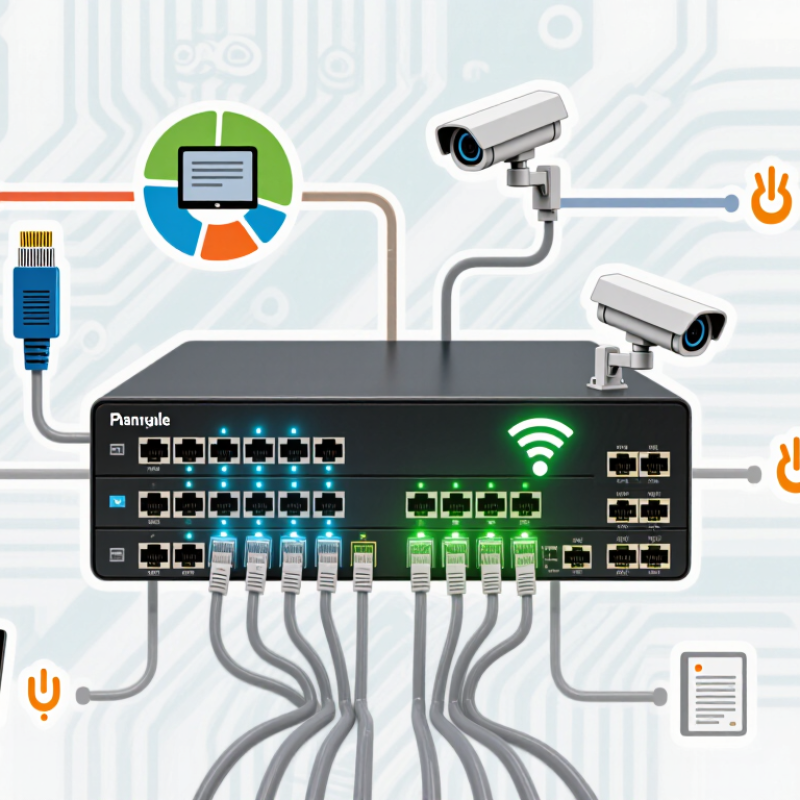
Table of Contents [Hide]
Define Your Network Requirements and Intended Use
Before choosing a managed network switch, define what it must connect and support. Count wired devices in each area, including computers, access points, cameras, and phones. Then estimate peak traffic, not just average use. Ericsson’s November 2024 Mobility Report recorded 21% year-on-year growth in mobile data traffic during Q3 2024. That figure is not a wired-network forecast, but it signals why capacity plans should allow room for changing usage. Your first estimate may be imperfect. That is normal.
Match switch features to the actual workload. Check port count, uplink speed, VLAN needs, and PoE budgets; an access point may need more power than a desk phone. For video-heavy offices, slow uplinks can create bottlenecks even when every device has a port. Consider whether a single switch failure would interrupt essential work, and whether monitoring or redundancy is worth the added cost. A common planning mistake is buying for today’s device count without documenting expected growth.
Tips: Walk the site and label device locations before comparing models. Record each device’s port and power needs. Leave spare capacity, but avoid paying for features nobody will use. Revisit the plan after a pilot; real traffic often exposes assumptions the spreadsheet missed.

© Copyright - Pro Tool & Supply - Site by SVM E-Marketing Solutions - Sitemap
- Privacy policy