- Products
- Air Compressors & Air Tools
- Climate Control
- Compaction Equipment
- Concrete Cutting Tools & Equipment
- Concrete and Masonry
- Demolition & Excavation
- Electrical & Mechanical
- Fasteners and Anchoring Adhesives
- Floor Protection
- Generators and Welders
- Hand Tools
- Heaters
- Janitorial and Office Supplies
- Jobsite Protection
- Ladders & Storage
- Lighting & Lighting Accessories
- Man Lifts
- Material Handling Equipment
- Power Tools
- Pressure Washers & Pumps
- Safety Gear
- Safety Products
- Saws
- Surface Preparation
- SEASONAL PRODUCTS
- Rentals
- Air Compressor and Air Tool Rentals
- Climate Control Rental
- Compaction Rentals
- Concrete Equipment Rentals
- Demolition & Excavation Equipment Rentals
- Concrete Floor Grinder Rentals
- General Construction Equipment Rentals
- Generator Rentals and Welder Rentals
- Heater Rentals
- Light Tower Rentals
- Man Lift Rentals in Massachusetts and Rhode Island
- Material Handling Equipment Rentals
- Pressure Washer & Pump Rentals
- Saw Rentals in New England
- SEASONAL PRODUCTS
- Products
- Air Compressors & Air Tools
- Climate Control
- Compaction Equipment
- Concrete Cutting Tools & Equipment
- Demolition & Excavation
- Electrical & Mechanical
- Floor Protection
- Generators and Welders
- Construction Heaters
- Construction Ladders, Staging, & Storage
- Construction Lighting
- Man Lifts
- Material Handling Equipment
- Industrial Janitorial and Office Supplies
- Pressure Washers & Pumps
- Construction Safety Products
- Construction Safety Gear
- Surface Preparation
- Building Protection
- Diesel Accessories
- Zero Emissions
- Rentals
- Air Compressor and Air Tool Rentals
- Climate Control Rental
- Compaction Rentals
- Concrete Equipment Rental
- Demolition & Excavation Equipment Rental
- General Construction Equipment Rental
- Generator Rentals and Welder Rentals
- Construction Heaters Rental
- Light Tower Rentals
- Man Lift Rentals
- Material Handling Equipment Rental
- Pressure Washer & Pump Rentals
- Saw Rentals in New England
- Concrete Floor Grinder Rentals
- Zero Emissions Rentals
- Repairs & Used
- Parts
- Blog
- Services
- Resources
- About Us
- Contact Us
Sales & Rental of Construction | Industrial Equipment & Supplies


Which Is the Best Finger Scan Door Lock in 2026?
Choosing the best Finger Scan Door Lock in 2026 depends on more than how quickly it recognizes a fingerprint. A reliable comparison should consider scan accuracy, unlocking speed, backup entry methods, battery life, installation, and the quality of the manufacturer’s support. The right choice also depends on the door, household routines, and budget. A feature-rich model may be a poor fit if setup is confusing or the lock does not suit the door.
Small details matter. Does the sensor work with damp or worn fingerprints? Can family members use a keypad, physical key, or app if the scanner fails? How clearly does the lock warn you about low batteries? These practical questions help separate useful features from impressive-sounding specifications. Fingerprints vary, and performance can differ with placement, skin condition, and everyday wear.
This guide will compare common features and trade-offs, including convenience, security protections, ease of installation, and ongoing costs. It will also explain what product claims can—and cannot—tell you without consistent, independent testing. No single lock is best for every home. A thoughtful choice balances dependable access with sensible backup options, clear setup instructions, and a design suited to your door. Expect practical differences, not a perfect answer.
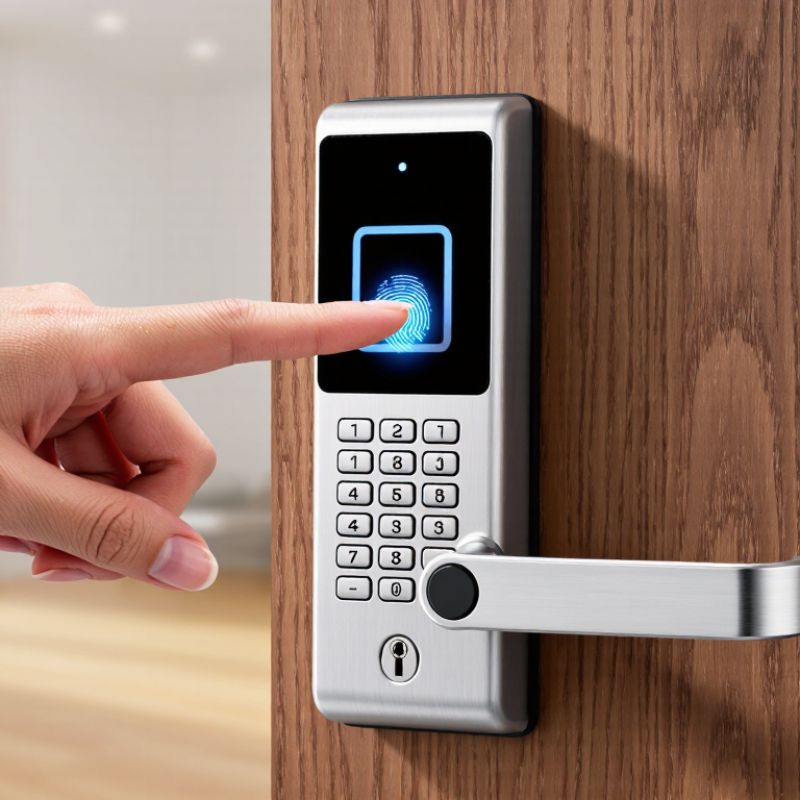
Table of Contents [Hide]
How Fingerprint Door Locks Identify Authorized Users
A fingerprint door lock does not recognize a finger by its appearance alone. During setup, it scans the fingertip and records distinguishing ridge patterns as a digital template. Later, the sensor captures a fresh scan and compares its features with stored templates. A match must pass the lock’s acceptance threshold before the door opens.
The comparison happens quickly, but the scan is not always perfect. Dry skin, damp fingers, small cuts, or a dusty sensor can make ridge details harder to read. Try placing your finger flat and steady, as you did during enrollment. Some locks also check for signs of a live finger, though the method and reliability vary by model. That is not magic.
Good setup matters. Enroll more than one finger, and follow the device’s instructions rather than rushing through each scan. Check whether fingerprint data stays on the lock or is stored elsewhere, and review how the device handles failed attempts. A backup entry method can be useful when your hands are cold or the sensor is dirty. I would not assume every scan is flawless; even familiar fingers can need a second try.

© Copyright - Pro Tool & Supply - Site by SVM E-Marketing Solutions - Sitemap
- Privacy policy