- Products
- Air Compressors & Air Tools
- Climate Control
- Compaction Equipment
- Concrete Cutting Tools & Equipment
- Concrete and Masonry
- Demolition & Excavation
- Electrical & Mechanical
- Fasteners and Anchoring Adhesives
- Floor Protection
- Generators and Welders
- Hand Tools
- Heaters
- Janitorial and Office Supplies
- Jobsite Protection
- Ladders & Storage
- Lighting & Lighting Accessories
- Man Lifts
- Material Handling Equipment
- Power Tools
- Pressure Washers & Pumps
- Safety Gear
- Safety Products
- Saws
- Surface Preparation
- SEASONAL PRODUCTS
- Rentals
- Air Compressor and Air Tool Rentals
- Climate Control Rental
- Compaction Rentals
- Concrete Equipment Rentals
- Demolition & Excavation Equipment Rentals
- Concrete Floor Grinder Rentals
- General Construction Equipment Rentals
- Generator Rentals and Welder Rentals
- Heater Rentals
- Light Tower Rentals
- Man Lift Rentals in Massachusetts and Rhode Island
- Material Handling Equipment Rentals
- Pressure Washer & Pump Rentals
- Saw Rentals in New England
- SEASONAL PRODUCTS
- Products
- Air Compressors & Air Tools
- Climate Control
- Compaction Equipment
- Concrete Cutting Tools & Equipment
- Demolition & Excavation
- Electrical & Mechanical
- Floor Protection
- Generators and Welders
- Construction Heaters
- Construction Ladders, Staging, & Storage
- Construction Lighting
- Man Lifts
- Material Handling Equipment
- Industrial Janitorial and Office Supplies
- Pressure Washers & Pumps
- Construction Safety Products
- Construction Safety Gear
- Surface Preparation
- Building Protection
- Diesel Accessories
- Zero Emissions
- Rentals
- Air Compressor and Air Tool Rentals
- Climate Control Rental
- Compaction Rentals
- Concrete Equipment Rental
- Demolition & Excavation Equipment Rental
- General Construction Equipment Rental
- Generator Rentals and Welder Rentals
- Construction Heaters Rental
- Light Tower Rentals
- Man Lift Rentals
- Material Handling Equipment Rental
- Pressure Washer & Pump Rentals
- Saw Rentals in New England
- Concrete Floor Grinder Rentals
- Zero Emissions Rentals
- Repairs & Used
- Parts
- Blog
- Services
- Resources
- About Us
- Contact Us
Sales & Rental of Construction | Industrial Equipment & Supplies


How to Choose the Best 1080p Video Door Phone in 2026?
Choosing the best 1080p Viddeo Door Phone in 2026 requires more than comparing resolution labels. A sharp image helps, but practical security depends on lighting, audio clarity, response speed, and installation quality. A visitor standing under a porch light should remain identifiable, not appear as a dark silhouette. That small detail matters.
Industry forecasts support this growing demand. Grand View Research identifies connected video doorbells as a rapidly expanding part of the smart home security market, driven by remote monitoring and smartphone integration. MarketsandMarkets also reports continued growth in smart home security technologies, including connected cameras and access devices. These reports use different market definitions, so their figures should not be treated as perfectly interchangeable. The numbers are useful, but not absolute.
This guide evaluates 1080p models through real installation conditions. It examines high dynamic range, infrared night vision, microphone performance, echo cancellation, video latency, and storage options. A 1080p image can look excellent during daylight, yet lose facial detail at night. Bitrate and lens quality often matter more than resolution alone. Wired Ethernet or PoE may provide steadier performance than a weak wireless connection. Weather resistance, operating temperature, app reliability, and privacy controls also deserve attention. The Electronic Security Association and NIST guidance both emphasize secure configuration, controlled access, and regular software updates. Those principles remain relevant for connected entry devices. Personal testing can reveal weaknesses that product pages hide, especially delayed notifications or muffled two-way audio. No single model fits every home. That is worth remembering.
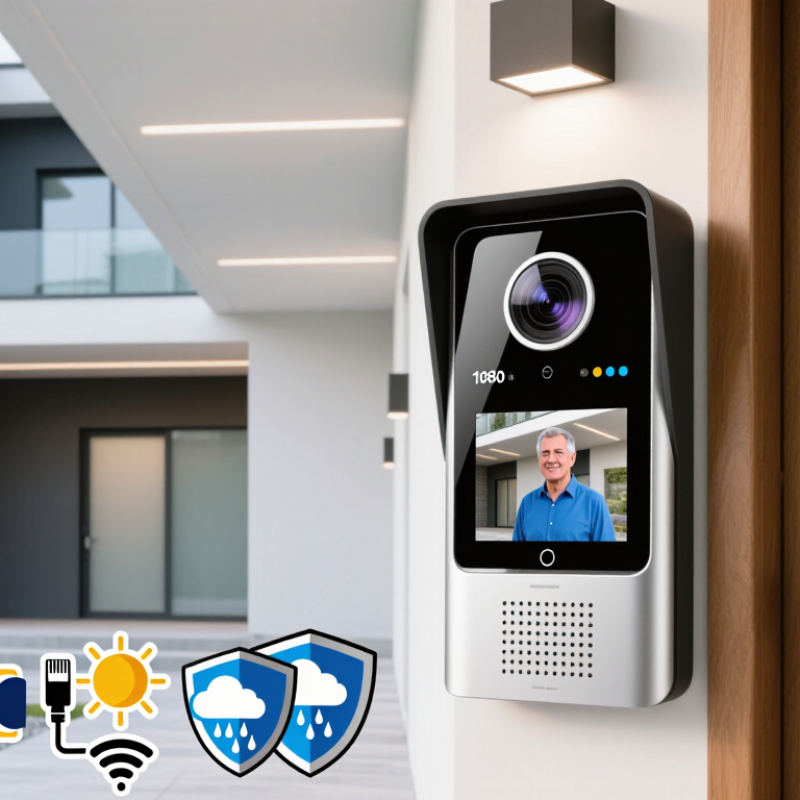
Table of Contents [Hide]
What a 1080p Video Door Phone Is and How It Works
A 1080p video door phone combines a door camera, indoor monitor, microphone, speaker, and call button. The camera captures video at 1920 by 1080 pixels. This resolution can show a visitor’s face, clothing, and package details more clearly than lower-definition systems. It is not perfect. Poor lighting, rain, or a smudged lens can still reduce useful detail.
When someone presses the outdoor button, the camera sends live video to the indoor screen. The microphone carries the visitor’s voice inside, while the speaker supports two-way conversation. Many current systems also offer motion alerts, night vision, recording, and phone access through a network connection. Wired models usually provide steadier power. Wireless models can simplify installation, but walls and distance may weaken the signal.
Check the image at night, not only in a bright showroom. A practical test should include a person standing three meters from the entrance. Look for clear facial features, natural motion, and low audio delay. Storage matters too. Local recording may reduce dependence on internet service, while cloud storage can offer easier remote access. Read retention settings carefully.
Small details matter.
The indoor screen should remain readable from a normal standing position. The door unit needs weather protection and a strong mounting surface. One weakness is often overlooked: 1080p does not guarantee reliable identification. Camera angle, lighting, compression, and installation height may matter more than the number itself. Recordings should be protected with strong passwords and sensible access controls.

© Copyright - Pro Tool & Supply - Site by SVM E-Marketing Solutions - Sitemap
- Privacy policy